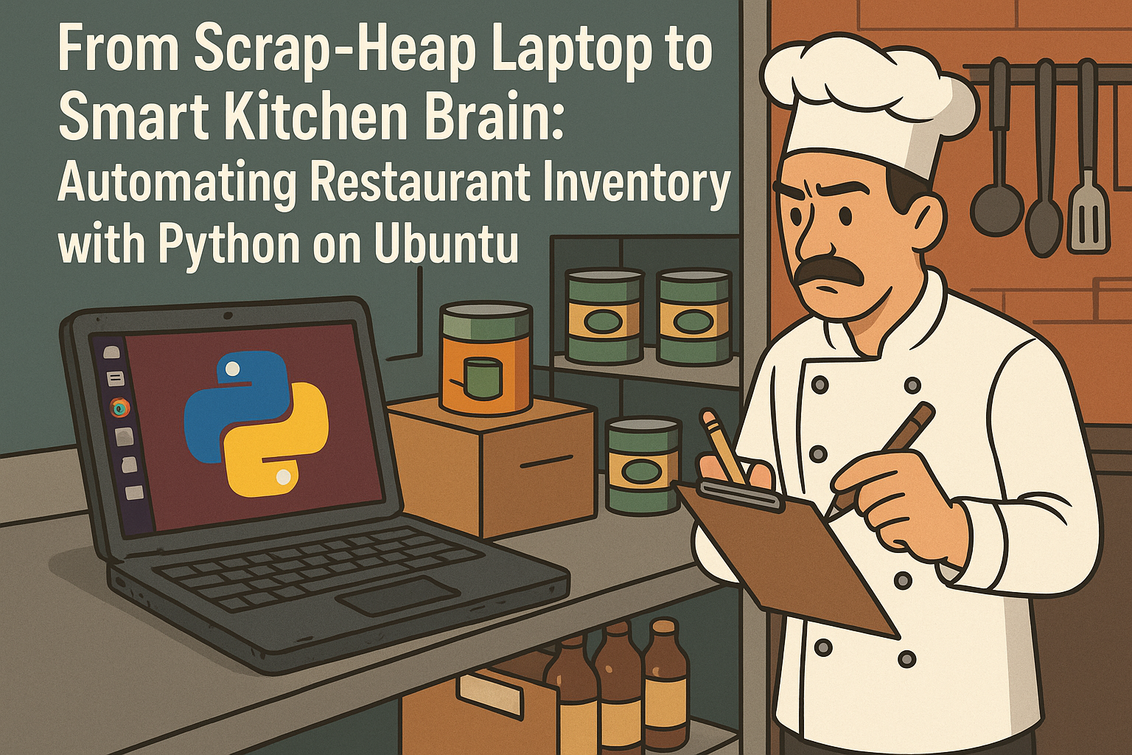
In many professional smart kitchens, inventory is still a painful, manual ritual: clipboards, half-erased notes, late-night counting of cans and boxes after service.
In this article, we will flip that story using a surprising hero—a battered 2018 Ubuntu laptop pulled from the scrap heap—and transform it into a reliable inventory automation hub using Python. We will walk through refurbishing the old machine, installing a lightweight Linux and Python stack, wiring it to a barcode scanner, recording ingredient flows in real time, and sending smart alerts over Telegram or Slack. Along the way, we will blend Creative DevOps, Fusion Development, and Cyber Gourmet thinking to show that you do not need expensive SaaS platforms to run a data-driven smart kitchen: you just need some clever engineering, open source tools, and a bit of curiosity.
Rescuing the Relic: Why an Old Ubuntu Laptop Belongs in a Modern Kitchen
Picture a Friday night service: tickets streaming in, pans flaring, cooks shouting times—and somewhere in the back, someone remembers that no one checked how many chicken breasts are left for tomorrow’s brunch.
This is where restaurant inventory traditionally collapses: it competes with the urgent chaos of service. Our underdog transformation begins with a dusty Ubuntu laptop, long abandoned, now repurposed as a dedicated inventory brain. Instead of investing thousands into cloud inventory SaaS, we anchor our solution on digital sovereignty: our data stays on our machine, under our control, tuned to our exact workflow and menu. This battered device will bridge culinary grit and precise digital logic, running Python scripts that update stock levels as plates leave the pass and as deliveries arrive at the back door.
Refurbishing for Reliability: Cleaning, Cooling, and a Lean Ubuntu Setup
Before turning this relic into a mission-critical system, we must give it a second life.
Physically, you dust out the vents, ensure fans spin, and maybe replace the thermal paste if the CPU overheats. On the software side, we streamline the Ubuntu installation so the old hardware can run 24/7 in a hot kitchen. A minimal Ubuntu Server or a lightweight flavor like Xubuntu or Lubuntu is ideal. If you are reinstalling, you might boot from a USB installer and choose a lean desktop. After installation, update the system and remove bloat. On the laptop itself, run:
Section
sudo apt update && sudo apt upgrade -yOnce this is done, you want remote management over SSH so you do not need to hover around the laptop during service. Enable OpenSSH and secure it:
sudo apt install --no-install-recommends xubuntu-desktop -y
sudo apt autoremove -y
Section
sudo apt install openssh-server -yNow you can manage your Python inventory system from the office, bar, or even your phone (via an SSH app), while the laptop quietly runs in the stockroom, acting as your inventory control tower.
sudo systemctl enable ssh
sudo systemctl start ssh
sudo ufw allow OpenSSH
sudo ufw enable
Designing the Smart Kitchen Data Model: From Storage Bins to Database Tables
To automate restaurant inventory management, you need a clear mental model of how physical ingredients map to digital records.
Fusion Development shines here: you must think like a chef and like a systems engineer. Each physical storage location—dry pantry shelf, walk-in rack, freezer drawer—becomes a logical node in our database. Each ingredient is a record with properties such as name, unit of measure (kg, bottles, pieces), current quantity, reorder threshold, and supplier. On a resource-constrained old laptop, a simple relational database like SQLite is perfect: no server overhead, a single local file, and solid reliability. Let’s create a basic Python project structure:
Section
mkdir kitchen_inventoryNext, we define our core SQLAlchemy model in
cd kitchen_inventory
python3 -m venv venv
source venv/bin/activate
pip install --upgrade pip
pip install sqlalchemy sqlite-utils python-telegram-bot slack-sdk
models.py to describe ingredients and stock movements:
Section
from sqlalchemy import (Column, Integer, String, Float, DateTime,

ForeignKey, create_engine)

from sqlalchemy.orm import declarative_base, relationship, sessionmaker

from datetime import datetime
Base = declarative_base()
class Ingredient(Base):
__tablename__ = “ingredients”
id = Column(Integer, primary_key=True)
name = Column(String, unique=True, nullable=False)
unit = Column(String, default=”unit”) # e.g., kg, g, pcs, bottle
quantity = Column(Float, default=0.0)
reorder_level = Column(Float, default=0.0)
supplier = Column(String, nullable=True)
barcode = Column(String, unique=True, nullable=True)
movements = relationship(“StockMovement”, back_populates=”ingredient”)
class StockMovement(Base):
__tablename__ = “stock_movements”
id = Column(Integer, primary_key=True)
ingredient_id = Column(Integer, ForeignKey(“ingredients.id”))
change = Column(Float, nullable=False) # negative = used, positive = delivery
reason = Column(String, nullable=True)
created_at = Column(DateTime, default=datetime.utcnow)
ingredient = relationship(“Ingredient”, back_populates=”movements”)
engine = create_engine(“sqlite:///kitchen_inventory.db”)
SessionLocal = sessionmaker(bind=engine)
if __name__ == “__main__”:
Base.metadata.create_all(engine)
print(“Database initialized.”)
Run python models.py once to initialize the SQLite database. You now have a digital mirror of your stockroom that can grow with every new ingredient.
Connecting the Barcode Scanner: Turning Beeps into Clean Data
Most USB barcode scanners identify themselves as simple keyboards: they read a barcode and “type” the digits followed by an Enter key.
This makes them perfect for a low-latency, no-frills inventory UI that runs even on old hardware. You can pair your battered Ubuntu laptop with an inexpensive scanner and use Python to listen for scans. We will build a tiny terminal-based scanner app (scanner.py) that allows you to log deliveries and depletions quickly at the stockroom door. Here is a simple example:
Section
import sys

from models import SessionLocal, Ingredient, StockMovement
MODE_DELIVERY = “delivery”
MODE_USAGE = “usage”
def handle_scan(barcode, mode=MODE_DELIVERY, quantity=1.0):
session = SessionLocal()
ingredient = session.query(Ingredient).filter_by(barcode=barcode).first()
if not ingredient:
print(f”Unknown barcode {barcode}. Please register ingredient first.”)
session.close()
return
change = quantity if mode == MODE_DELIVERY else -quantity
ingredient.quantity += change
movement = StockMovement(
ingredient=ingredient,
change=change,
reason=mode,
)
session.add(movement)
session.commit()
print(f”Updated {ingredient.name}: {ingredient.quantity} {ingredient.unit} remaining”)
session.close()
if __name__ == “__main__”:
mode = MODE_DELIVERY if len(sys.argv) < 2 else sys.argv[1]
print(f”Scanner mode: {mode} (Ctrl+C to exit)”)
buffer = “”
try:
while True:
ch = sys.stdin.read(1)
if ch in [“\n”, “\r”]:
if buffer:
handle_scan(buffer.strip(), mode=mode)
buffer = “”
else:
buffer += ch
except KeyboardInterrupt:
print(“\nExiting scanner.”)
With this, the kitchen porters can scan every incoming crate or outgoing tray. It is not flashy, but it is fast, robust, and uses almost zero CPU—a perfect fit for our old Ubuntu laptop and our goal of efficient, automated restaurant inventory management using Python.
Feeding the Smart Kitchen System: Registering Ingredients and Initial Stock Counts
Before real-time automation kicks in, you need a baseline: what do you currently have?
This is where one intensive evening of structured counting pays off for months. We will create a small script (seed_ingredients.py) to register ingredients with names, units, reorder levels, and optional barcodes. This is a perfect moment to reflect on menu engineering: which ingredients are critical to your signature dishes and deserve tighter automation?
Section
from models import SessionLocal, Ingredient, Base, engine
Base.metadata.create_all(engine)
session = SessionLocal()
items = [
{“name”: “Chicken Breast”, “unit”: “kg”, “quantity”: 20.0,
“reorder_level”: 5.0, “supplier”: “Local Farm Co”, “barcode”: “1234567890123”},
{“name”: “Olive Oil”, “unit”: “L”, “quantity”: 15.0,
“reorder_level”: 4.0, “supplier”: “Mediterranean Imports”, “barcode”: “2345678901234”},
{“name”: “Flour 00”, “unit”: “kg”, “quantity”: 30.0,
“reorder_level”: 10.0, “supplier”: “Mill & Grain”, “barcode”: “3456789012345”},
]
for item in items:
ingr = Ingredient(**item)
session.add(ingr)
session.commit()
session.close()
print(“Seeded initial ingredients and quantities.”)
Run python seed_ingredients.py once. From now on, the scanner interface and your future menu-integration logic will operate on this digital pantry. The exciting part for Cyber Gourmet enthusiasts is that the more precisely you model your stock, the more you unlock predictive power later.
Real-Time Depletion: Linking Menu Sales to Stock Movements with Python
Counting deliveries and manual adjustments is useful, but the biggest source of inventory change is your menu going out the door.
Ideally, we connect your Point of Sale (POS) system to our Python backend. Many modern POS solutions export JSON or CSV data or offer REST APIs. Even if your POS is basic, you can often export daily sales as a CSV and process it with Python. The basic idea: each menu item has a “recipe bill of materials” defining how much of each ingredient it uses. When a dish is sold, you decrement those ingredient quantities. Let’s sketch a simple recipe mapping and processing script (menu_depletion.py):
Section
from models import SessionLocal, Ingredient, StockMovement
# Recipe mapping: menu_item -> {ingredient_name: quantity_used}
RECIPES = {
“Roast Chicken Plate”: {
“Chicken Breast”: 0.25, # kg per plate
“Olive Oil”: 0.02, # L for roasting and dressing
},
“Margherita Pizza”: {
“Flour 00”: 0.25, # kg per dough ball
“Olive Oil”: 0.01,
},
}
SALES_FOR_TODAY = [
{“item”: “Roast Chicken Plate”, “qty”: 40},
{“item”: “Margherita Pizza”, “qty”: 55},
]
def apply_sales(sales_list):
session = SessionLocal()
for sale in sales_list:
item = sale[“item”]
count = sale[“qty”]
if item not in RECIPES:
print(f”No recipe for menu item: {item}, skipping.”)
continue
for ingr_name, per_unit in RECIPES[item].items():
ingr = session.query(Ingredient).filter_by(name=ingr_name).first()
if not ingr:
print(f”Ingredient {ingr_name} not found in DB.”)
continue
change = -per_unit * count
ingr.quantity += change
mov = StockMovement(
ingredient=ingr,
change=change,
reason=f”sale:{item}”,
)
session.add(mov)
print(f”Used {abs(change):.2f} {ingr.unit} of {ingr.name}”)
session.commit()
session.close()
if __name__ == “__main__”:
apply_sales(SALES_FOR_TODAY)
This script demonstrates the core logic of real-time or batch depletion. In a production setup, you might run this every 10 minutes, ingesting sales data from your POS export directory or API. Even on a low-spec Ubuntu laptop, this low-latency Python logic loop can keep up easily.
Building Low-Latency Logic: Daemonizing the Inventory Engine
To fully automate restaurant inventory management using Python, you do not want to remember to run scripts manually.
Instead, you want a small, always-on process that watches for new sales files, listens to scanner events, and keeps the database in sync. On Ubuntu, you can use systemd to run your Python inventory engine as a service. Let’s imagine we have a main controller script (inventory_engine.py) that periodically applies sales and checks stock levels. The skeleton might look like this:
Section
import time

from datetime import datetime

from models import SessionLocal, Ingredient

from menu_depletion import apply_sales
CHECK_INTERVAL_SECONDS = 60
def check_low_stock():
session = SessionLocal()
low_items = (
session.query(Ingredient)
.filter(Ingredient.quantity <= Ingredient.reorder_level)
.all()
)
for ingr in low_items:
print(f”[LOW STOCK] {ingr.name}: {ingr.quantity} {ingr.unit} remaining”)
session.close()
def main_loop():
while True:
print(f”[Engine] Tick at {datetime.utcnow().isoformat()}Z”)
# In a real system, here you would load fresh sales from POS
# For now, we’ll skip apply_sales or simulate
check_low_stock()
time.sleep(CHECK_INTERVAL_SECONDS)
if __name__ == “__main__”:
main_loop()
To run this as a Linux service, create a file /etc/systemd/system/kitchen-inventory.service as root:
Section
[Unit]

Description=Kitchen Inventory Engine

After=network.target
[Service]
User=ubuntu
WorkingDirectory=/home/ubuntu/kitchen_inventory
ExecStart=/home/ubuntu/kitchen_inventory/venv/bin/python inventory_engine.py
Restart=always
RestartSec=5
[Install]
WantedBy=multi-user.target
Then enable and start it:
Section
sudo systemctl daemon-reloadNow your old laptop quietly runs the inventory engine in the background, even after reboots—a hallmark of solid DevOps in an unconventional, high-pressure environment.
sudo systemctl enable kitchen-inventory.service
sudo systemctl start kitchen-inventory.service
Automated Alerts Smart Kitchen: Telegram and Slack Notifications for Critical Stock
Counting is one thing; catching problems before they hit the menu is another.
The easiest win is to send low-stock warnings to Telegram or Slack channels used by chefs and managers. Let’s start with Telegram. Using Telegram Bots, you can create a bot token and chat ID, then integrate with python-telegram-bot. Modify our engine to send messages when ingredients cross their reorder thresholds. Create alerts.py:
Section
import os

from models import SessionLocal, Ingredient

from telegram import Bot
TELEGRAM_TOKEN = os.getenv(“TELEGRAM_TOKEN”)
TELEGRAM_CHAT_ID = os.getenv(“TELEGRAM_CHAT_ID”)
bot = Bot(token=TELEGRAM_TOKEN) if TELEGRAM_TOKEN else None
def send_telegram_message(text: str):
if not bot:
print(f”[TELEGRAM DISABLED] {text}”)
return
bot.send_message(chat_id=TELEGRAM_CHAT_ID, text=text)
def notify_low_stock():
session = SessionLocal()
low_items = (
session.query(Ingredient)
.filter(Ingredient.quantity <= Ingredient.reorder_level)
.all()
)
if not low_items:
session.close()
return
lines = [“⚠️ Low stock alert:”]
for ingr in low_items:
lines.append(f”- {ingr.name}: {ingr.quantity:.2f} {ingr.unit} (reorder at {ingr.reorder_level:.2f})”)
session.close()
send_telegram_message(“\n”.join(lines))
Then call notify_low_stock() from inventory_engine.py after each check. For Slack, you can use a webhook or the official SDK (Slack Incoming Webhooks):
Section
import os

import requests
SLACK_WEBHOOK_URL = os.getenv(“SLACK_WEBHOOK_URL”)
def send_slack_message(text: str):
if not SLACK_WEBHOOK_URL:
print(f”[SLACK DISABLED] {text}”)
return
payload = {“text”: text}
requests.post(SLACK_WEBHOOK_URL, json=payload, timeout=5)
With both channels wired, your kitchen team receives real-time warnings when olive oil, flour, or your hero ingredients approach critical lows—far more efficient than discovering shortages during service.
Predictive Ordering for Smart Kitchen: Using Historical Data to See Next Week’s Needs
Once your system has been running for a while, your stock_movements table becomes a gold mine.
Every delivery and every depletion is timestamped, making it possible to forecast consumption. You do not need machine learning from day one; simple averages can yield huge value. Suppose you want to project how much flour you will need next week. You can compute the daily average usage from the last four weeks and multiply. Let’s implement a small forecasting tool (forecast.py):
Section
from datetime import datetime, timedelta

from models import SessionLocal, Ingredient, StockMovement
LOOKBACK_DAYS = 28
def average_daily_usage(ingredient_name: str, lookback_days: int = LOOKBACK_DAYS):
session = SessionLocal()
ingr = session.query(Ingredient).filter_by(name=ingredient_name).first()
if not ingr:
session.close()
raise ValueError(“Ingredient not found”)
since = datetime.utcnow() – timedelta(days=lookback_days)
movements = (
session.query(StockMovement)
.filter(
StockMovement.ingredient_id == ingr.id,
StockMovement.created_at >= since,
StockMovement.change < 0, # only usage
)
.all()
)
total_used = sum(-m.change for m in movements)
session.close()
return total_used / lookback_days if lookback_days else 0
def project_need(ingredient_name: str, days_ahead: int = 7):
daily = average_daily_usage(ingredient_name)
return daily * days_ahead
if __name__ == “__main__”:
for ingr_name in [“Flour 00”, “Olive Oil”, “Chicken Breast”]:
try:
weekly_need = project_need(ingr_name, days_ahead=7)
print(f”Projected {ingr_name} need for next week: {weekly_need:.2f}”)
except ValueError:
print(f”No data yet for {ingr_name}”)
Over time, you can refine this: separate weekday vs weekend patterns, adjust for seasonal menus, or export data to tools like Pandas or Jupyter notebooks for deeper analysis. For inspiration, check out open source data science libraries like Pandas or visualization tools such as Matplotlib and Plotly. Even so, this basic forecasting already helps you avoid stock-outs and over-ordering.
Fail-Safe Design: Handling Power Surges, Spills, and Human Error
In a professional smart kitchen, hardware lives a hard life: power breakers trip, humidity soars, and liquid spills are always a risk.
Creative DevOps in a culinary environment means designing fail-safes: your Python inventory system must recover gracefully. A few practical measures make your old Ubuntu laptop remarkably resilient: keep it off the floor and away from sinks, use a small UPS (uninterruptible power supply) so brief outages do not corrupt your SQLite database, and configure automatic backups. For example, you can cron a daily backup of kitchen_inventory.db to an external drive or network share:
Section
crontab -eAdd a line like:
Section
0 3 * * * cp /home/ubuntu/kitchen_inventory/kitchen_inventory.db \On the software side, handle exceptions robustly in your Python scripts, logging errors rather than crashing silently. For instance, modify
/home/ubuntu/kitchen_inventory/backups/kitchen_inventory_$(date +\%F).db
inventory_engine.py:
Section
import logging
logging.basicConfig(
filename=”inventory_engine.log”,
level=logging.INFO,
format=”%(asctime)s [%(levelname)s] %(message)s”,
)
# Wrap main loop
try:
main_loop()
except Exception as e:
logging.exception(“Engine crashed”)
raise
These small defensive steps make your low-budget, repurposed inventory controller surprisingly production-ready in a hectic restaurant.
Visual Dashboards on Old Hardware: Lightweight Web UIs with Flask for Smart Kitchen
While barcode beeps and Telegram alerts are powerful, many chefs appreciate a quick visual overview—what is low, what is fine, how much was used yesterday.
You can add a minimalist web dashboard using Flask that runs locally on the Ubuntu laptop but is viewable from any tablet or phone on the smart kitchen Wi-Fi. Because our hardware is old, we keep the UI very light: mostly plain HTML, few images, no heavy JavaScript frameworks. Install Flask:
Section
source venv/bin/activateCreate
pip install flask
app.py:
Section
from flask import Flask, render_template_string

from models import SessionLocal, Ingredient
app = Flask(__name__)
TEMPLATE = “””
<!doctype html>
<html>
<head><title>Kitchen Inventory Dashboard</title></head>
<body>
<h1>Kitchen Inventory Overview</h1>
<table border=”1″ cellpadding=”5″ cellspacing=”0″>
<tr>
<th>Ingredient</th><th>Quantity</th><th>Unit</th><th>Reorder Level</th>
</tr>
{% for ingr in ingredients %}
<tr style=”background-color: {% if ingr.quantity <= ingr.reorder_level %}#ffbbbb{% else %}#bbffbb{% endif %};”>
<td>{{ ingr.name }}</td>
<td>{{ ‘%.2f’|format(ingr.quantity) }}</td>
<td>{{ ingr.unit }}</td>
<td>{{ ‘%.2f’|format(ingr.reorder_level) }}</td>
</tr>
{% endfor %}
</table>
</body>
</html>
“””
@app.route(“/”)
def index():
session = SessionLocal()
ingredients = session.query(Ingredient).order_by(Ingredient.name).all()
session.close()
return render_template_string(TEMPLATE, ingredients=ingredients)
if __name__ == “__main__”:
app.run(host=”0.0.0.0″, port=5000)
Run python app.py and browse to http://<laptop-ip>:5000 from your phone. You will see a color-coded table: green rows for safe levels, red for low stock. This simple visual layer makes the system approachable for non-technical staff, even as the core remains a lightweight Python stack on old hardware.
Security and Digital Sovereignty: Owning Your Kitchen Data
When you use third-party SaaS platforms, you often trade convenience for lock-in and opaque pricing.
By running automated restaurant inventory management using Python on your own Ubuntu laptop, you keep control of your data, your workflows, and your costs. But with great control comes responsibility: you must secure your system. Start by setting strong passwords for the Ubuntu user and disabling password SSH logins in favor of SSH keys. Edit /etc/ssh/sshd_config:
Section
PasswordAuthentication noThen restart SSH:
PermitRootLogin no
Section
sudo systemctl restart sshEnsure your laptop firewall (UFW) only exposes necessary ports (SSH, Flask dashboard if needed):
Section
sudo ufw allow 22/tcpFinally, think about where backups go and who can access them. Ideally, backups are encrypted or stored on a secure internal network share. By practicing basic DevSecOps principles, you turn your rescued laptop into a sovereign, professional-grade component of your digital kitchen.
sudo ufw allow 5000/tcp # optional, if you want web UI from LAN
sudo ufw status verbose
Measuring Impact: Time Saved, Waste Reduced, and ROI Calculated
After one or two weeks of running this system, you should evaluate its real-world impact.
Creative computing is not just about code elegance; it is about measurable outcomes. Track a few metrics: hours previously spent on manual stock counts vs now, number of stock-outs per week before vs after, and amount of food waste or last-minute emergency purchasing that gets eliminated. A simple Python report can help. Example (report.py):
Section
from datetime import datetime, timedelta

from models import SessionLocal, StockMovement
DAYS = 7
def recent_usage_report(days=DAYS):
session = SessionLocal()
since = datetime.utcnow() – timedelta(days=days)
movements = (
session.query(StockMovement)
.filter(StockMovement.created_at >= since)
.all()
)
by_ingredient = {}
for m in movements:
name = m.ingredient.name
by_ingredient.setdefault(name, 0)
by_ingredient[name] += m.change
session.close()
print(f”Usage / deliveries in last {days} days:”)
for name, total in by_ingredient.items():
print(f”- {name}: {total:.2f}”)
if __name__ == “__main__”:
recent_usage_report()
You can complement this with simple spreadsheets or visual dashboards to share with stakeholders. Time saved by chefs and managers on manual counting can often be redeployed into R&D, menu design, or training—subtle but powerful ROI for a project built on an old laptop and open source tools.
The Bigger Picture: Creative DevOps for Small Smart Kitchens and Independent Chefs
What we have built here is more than an inventory script; it is a template for creative DevOps and fusion development in hospitality.
By combining open source software, Python automation, repurposed hardware, and a deep understanding of smart kitchen realities, we have shown that sophisticated systems do not require massive budgets or brand-new servers. For small restaurants, food trucks, catering teams, or culinary labs, the ability to bend technology to your exact needs is a form of digital sovereignty. You own the code, you understand the logic, and you can adapt it as your menu evolves. If you feel inspired to go further, you might: connect to low-cost IoT scales under key bins, integrate label printing, or open your code as an open source project on GitHub to help other chefs. Referencing initiatives like Opensource.com can give you ideas for community-driven development.
Conclusion: From Chaos to Clarity with Python, Ubuntu, and a Bit of Courage
We started with culinary chaos and a relic laptop destined for recycling.
By applying creative computing techniques, we transformed that underdog machine into a reliable hub for automated restaurant inventory management using Python on Ubuntu. We refurbished and secured the hardware, modeled our ingredients in a local SQLite database, integrated a USB barcode scanner for frictionless logging, wired menu sales into real-time stock depletion, configured Telegram and Slack for low-stock alerts, and added simple forecasting and fail-safes. The result is a concise but powerful ecosystem that respects budget constraints, maintains digital sovereignty, and fits the intense rhythm of a professional kitchen. Whether you are a head chef, a tech-savvy line cook, or a DevOps engineer who loves food, this approach proves that high-impact automation can run on repurposed hardware and open source tools. The next step is yours: adapt these scripts, experiment in your own smart kitchen, and continue bridging the gap between raw culinary grit and precise digital logic.